WebUI
Once started, access http://localhost:8000 (or <ip address>:<port number> if you use remote hosting) to open the WebUI.
How to use
Building the TensorRT engine
- Click on the "Engine" tab
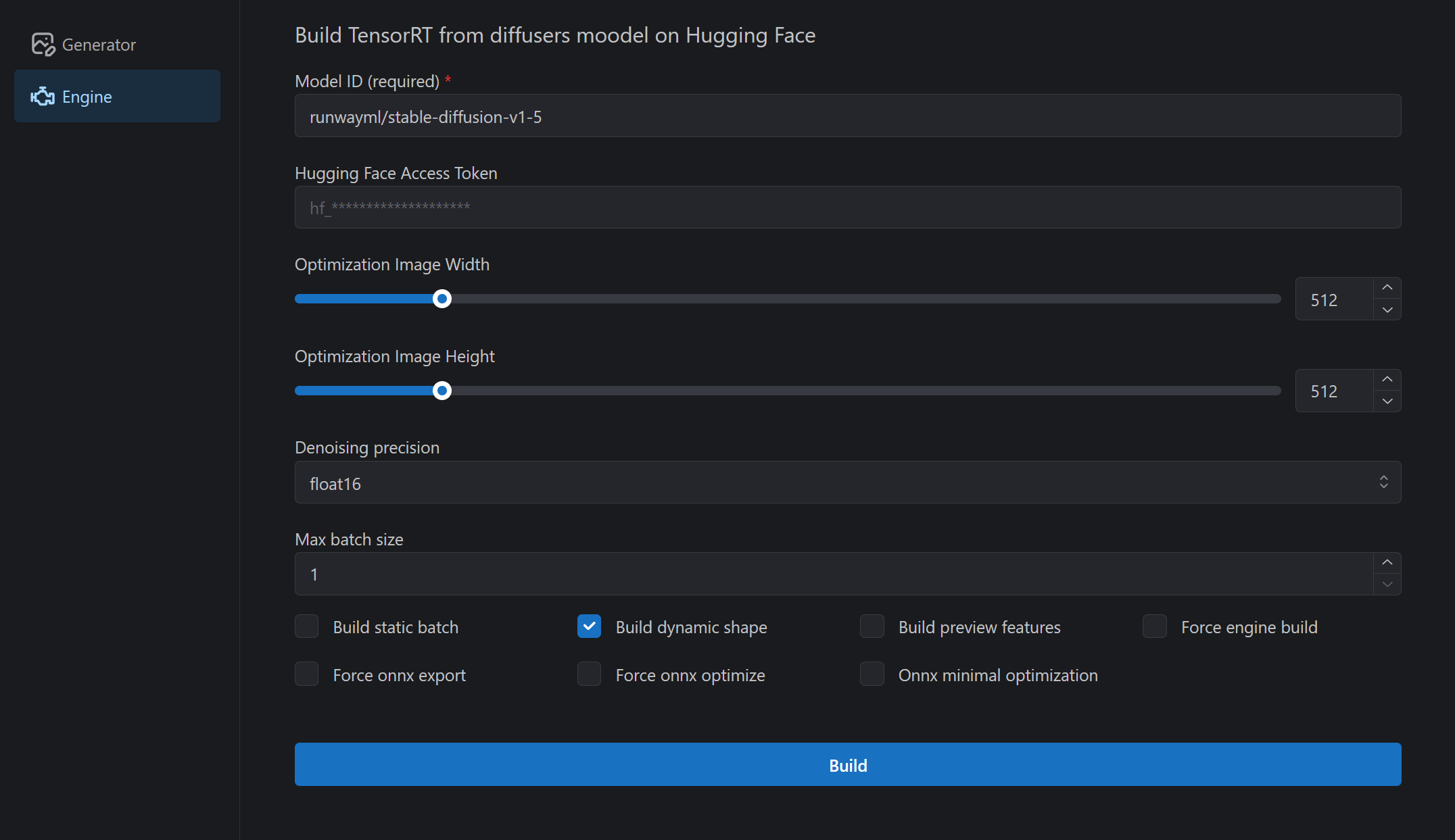
- Enter Huggingface's Diffusers model ID in
Model ID(ex:CompVis/stable-diffusion-v1-4) - Enter your Huggingface access token in
HuggingFace Access Token(required for some repositories). Access tokens can be obtained or created from this page. - Click the
Buildbutton to start building the engine.- There may be some warnings during the engine build, but you can safely ignore them unless the build fails.
- The build can take tens of minutes. For reference it takes an average of 15 minutes on the RTX3060 12GB.
Generating images
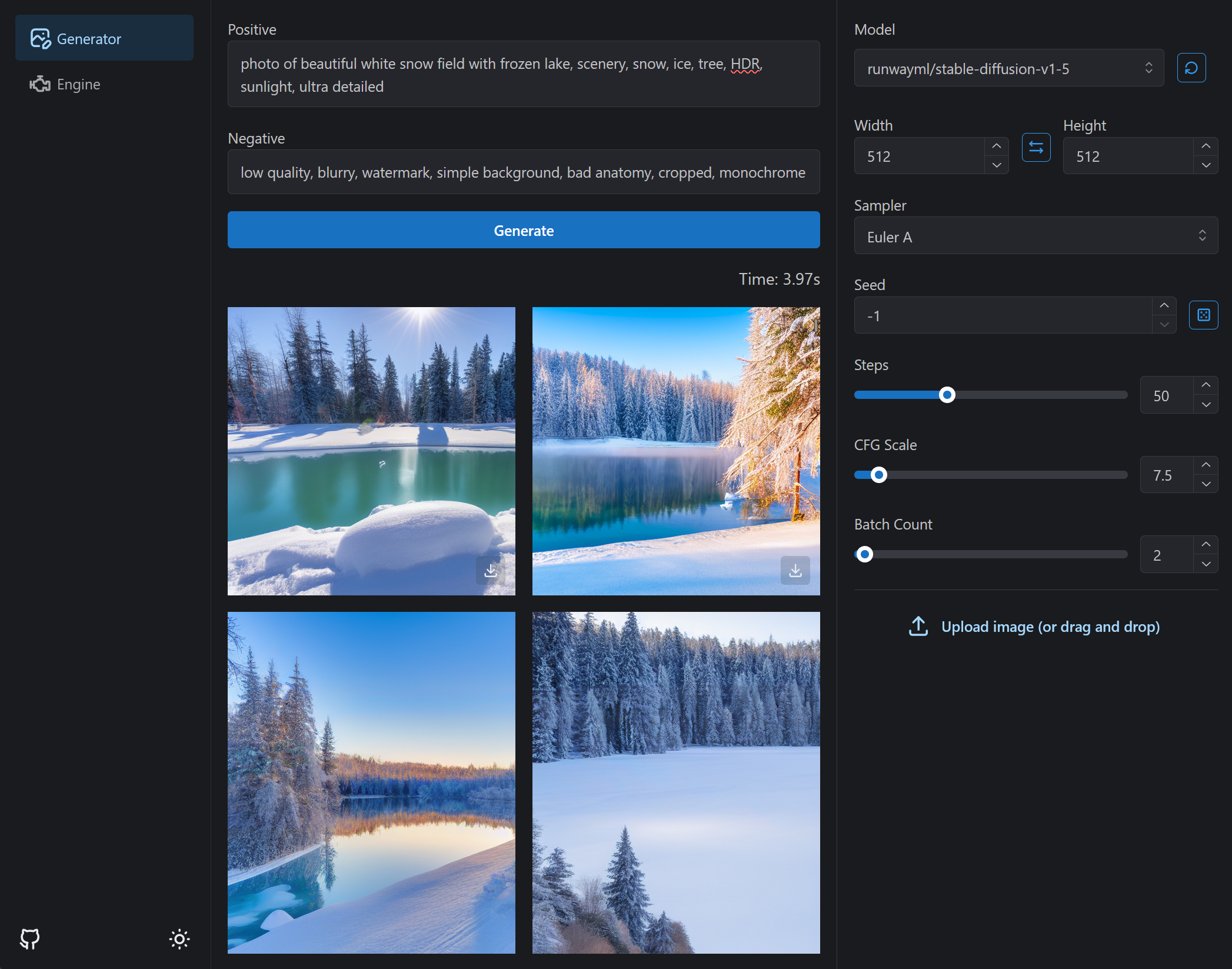
- Select the model in the header dropdown.
- Click on the
Generatetab - Click
Generatebutton.